
Creating presentations can be frustrating. You may struggle to organize your ideas, spend too much time designing slides, or waste hours searching for the right template. Gamma helps eliminate all of these challenges.
What Is Gamma?
Gamma is an AI-powered presentation maker that lets you create professional presentations without design skills or starting from scratch.
Simply provide one of the following:
A topic
A website URL
A document
Gamma takes care of the rest.
Its Smart Document Import feature supports common file formats, including PDF, Word, Excel, and PowerPoint. It automatically extracts the key information, understands the content, and transforms it into a well-structured, slide-by-slide presentation.
How It Works: Just Three Simple Steps
Creating a presentation with Gamma is easy.d
Step 1: Enter a Topic
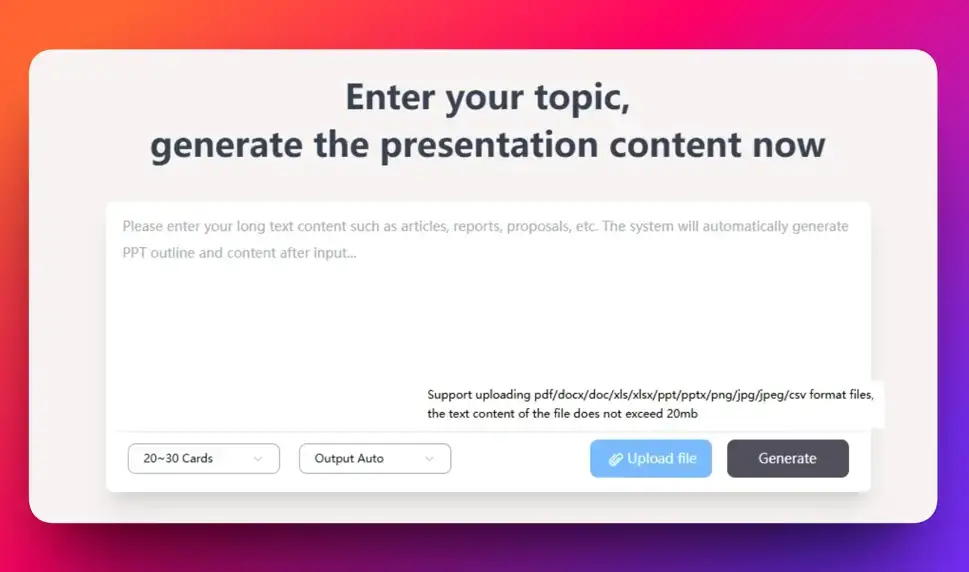
Start by entering a topic, such as "New Product Launch Plan." Gamma automatically generates a presentation outline and fills in the content, so you never have to start with a blank page.
Step 2: Paste a URL
Already have an article or web page? Simply paste the link into Gamma. It reads the page, extracts the important information, and converts it into presentation slides automatically.
Step 3: Upload a Document
Have an existing PowerPoint, Word report, Excel spreadsheet, or PDF? Upload the file, and Gamma automatically reorganizes the content, improves the layout, and creates a polished new presentation.d
Gamma also handles the design details for you, including typography, image placement, spacing, and slide layouts, so you don't have to make manual adjustments.
Over 1,000 Professional Templates
Gamma includes a library of more than 1,000 professionally designed presentation templates for a wide range of use cases, including:
Business presentations
Marketing decks
Educational materials
Training courses
lors, fonts, layouts, and other design elements.
Fast to Create, Easy to Export
A great presentation should be easy to share as well as easy to create.
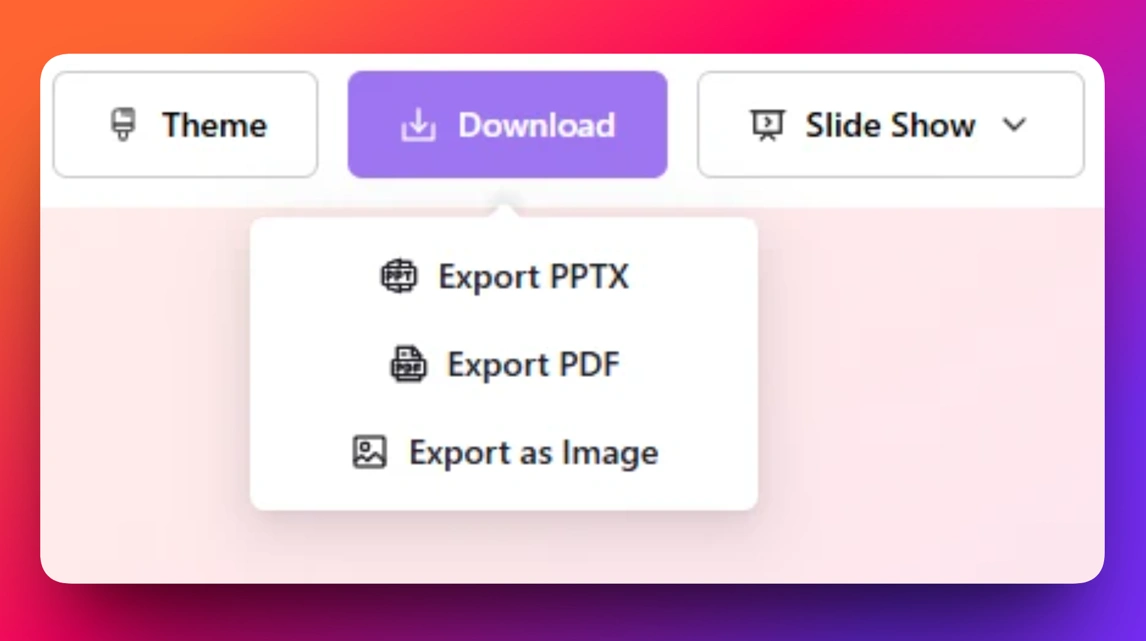
Gamma lets you edit presentations online and export them with a single click to multiple formats, including:
PowerPoint (PPTX)
PDF
Images
Whether you're emailing a presentation, presenting in a meeting, or printing handouts, Gamma makes sharing effortless.
Why Choose Gamma?
Gamma makes presentation creation dramatically easier.
Instead of spending hours writing content and adjusting layouts, you can start with a single idea, a website, or an existing document. Gamma turns it into a professional, visually appealing, and presentation-ready slide deck in minutes.
If you regularly create presentations for work, teaching, client proposals, or team meetings, Gamma can save you valuable time—allowing you to focus on your ideas instead of formatting slides.